In the fast-paced digital age, our smartphones serve as repositories of personal and professional conversations, making the loss of messages a considerable concern. Whether it’s accidentally deleted text messages, WhatsApp chats, or iMessages, the need to recover these conversations is a common scenario. In this comprehensive guide, we’ll explore various methods to recover deleted messages from iPhones and smartphones, ensuring that your valuable conversations are not lost in the digital abyss.
Section 1: Understanding Message Recovery on iPhones
1.1 iCloud Backup:
iPhones are equipped with a robust backup system through iCloud, allowing users to restore their devices to a previous state.
To recover deleted messages, check if you have an iCloud backup that includes the messages you want to retrieve.
1.2 iTunes Backup:
iTunes, Apple’s desktop software, can also be used for message recovery.
If you regularly sync your iPhone with iTunes, you may have a recent backup containing your deleted messages.
1.3 Message Deletion Behavior on iPhones:
Understanding how messages are deleted on iPhones is crucial for devising effective recovery strategies.
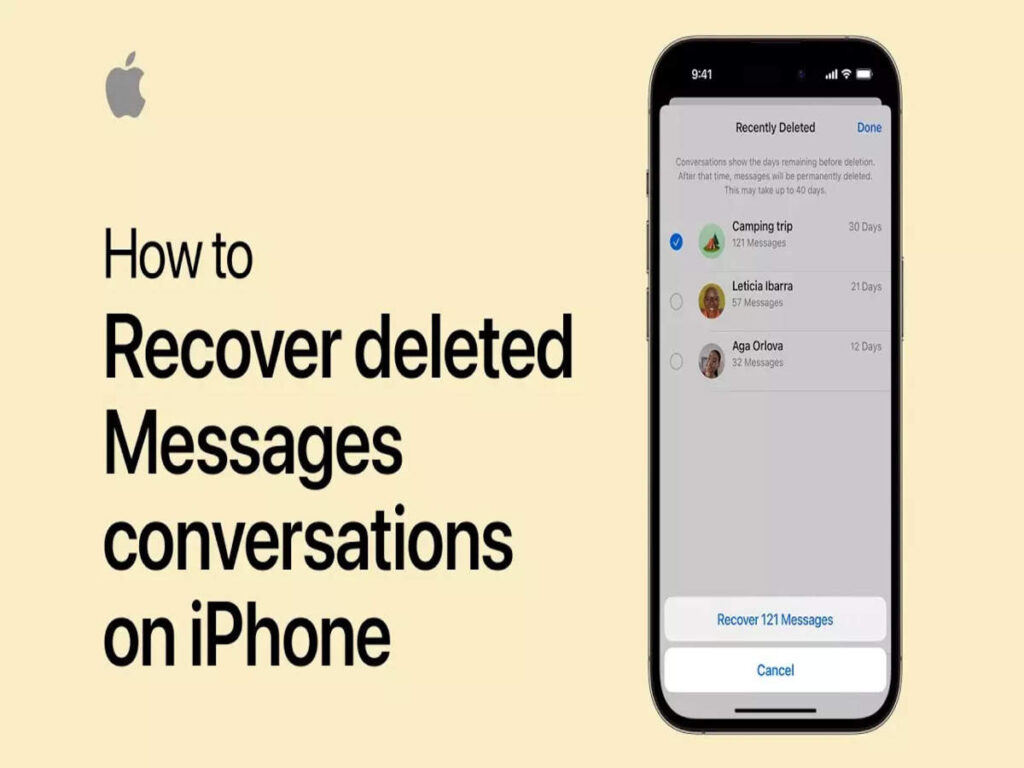
Deleted messages are often moved to the “Recently Deleted” folder and remain there for a set duration before being permanently removed.
Section 2: Recovering Deleted Messages on iPhones
2.1 Recovering from iCloud Backup:
Go to Settings > [Your Name] > iCloud > Manage Storage > Backups.
Select the relevant backup and choose the messages you want to recover during the restoration process.
2.2 Restoring from iTunes Backup:
Connect your iPhone to the computer and open iTunes.
Select your device and choose “Restore Backup.” Pick the backup with the messages you want to recover.
2.3 Recovering from “Recently Deleted” Folder:
Open the Messages app and tap “More” > “Edit” at the top left.
Select the messages you want to recover and tap “Recover” to restore them to your main message folder.
Section 3: Recovering Deleted Messages on Android Smartphones
3.1 Google Drive Backup (Android):
Android smartphones often rely on Google Drive for backup.
Check your Google Drive account for a recent backup that includes the messages you want to recover.
3.2 Third-Party Apps (Android):
Several third-party apps on the Google Play Store specialize in message recovery.
Download and install a reputable app that supports the recovery of deleted messages on your Android device.
3.3 Message Deletion Behavior on Android:
Android devices may have variations in how messages are handled.
Deleted messages may be moved to a “Trash” or “Recycle Bin” folder before permanent deletion.
Section 4: Recovering Deleted Messages on Android Smartphones
4.1 Google Drive Backup (Android):
Android smartphones often rely on Google Drive for backup.
Check your Google Drive account for a recent backup that includes the messages you want to recover.
4.2 Third-Party Apps (Android):
Several third-party apps on the Google Play Store specialize in message recovery.
Download and install a reputable app that supports the recovery of deleted messages on your Android device.
4.3 Message Deletion Behavior on Android:
Android devices may have variations in how messages are handled.
Deleted messages may be moved to a “Trash” or “Recycle Bin” folder before permanent deletion.
Section 5: General Tips for Message Recovery on Both Platforms
5.1 Act Quickly:
Time is of the essence when it comes to message recovery. The sooner you attempt recovery, the higher the chances of success.
5.2 Disable Automatic Backups:
If you suspect that your messages have been deleted, consider disabling automatic backups temporarily to prevent overwritten data.
5.3 Use Third-Party Software:
Explore third-party recovery software that supports both iPhone and Android devices.
These tools often provide advanced options for retrieving deleted messages.
5.4 Contact Customer Support:
Reach out to your device’s customer support for assistance and guidance.
Some issues may require specialized support to recover deleted messages.
Section 6: Data Security and Privacy Considerations
6.1 Encryption:
Understand that message recovery processes involve accessing backups, which may be encrypted.
Ensure that your backup files are secure and protected with strong encryption.
6.2 Password Protection:
If your backups are password-protected, ensure that you have the necessary credentials to access and recover the messages.
6.3 Privacy Concerns:
Be cautious when using third-party recovery tools, as they may involve sharing sensitive information.
Read reviews, check permissions, and ensure the legitimacy of any software used for message recovery.
Section 7: Conclusion
In conclusion, the loss of important messages can be a stressful experience, but with the right strategies, it’s possible to recover deleted messages from both iPhones and Android smartphones. Understanding the built-in backup systems, exploring third-party solutions, and acting promptly are key factors in successful message recovery. Whether you rely on iCloud, iTunes, Google Drive, or third-party apps, the goal is to ensure that your valuable conversations are restored, allowing you to continue your digital communication seamlessly. As technology evolves, so do the tools available for data recovery, providing users with options to retrieve and safeguard their cherished messages.