
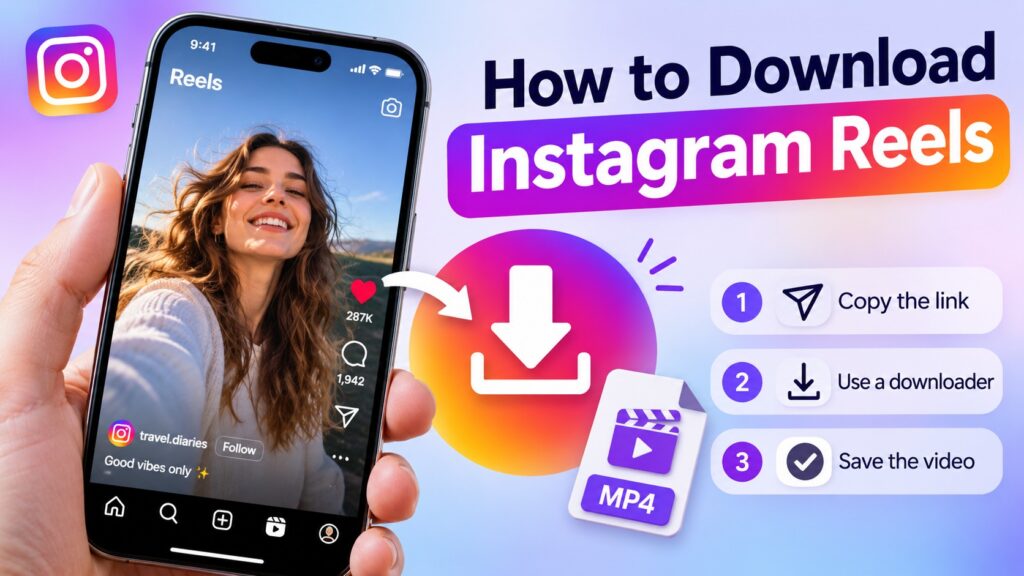
Instagram Reels have become one of the most popular ways to share short videos online. From funny clips and creative edits to educational content and travel inspiration, millions of users watch and publish Reels every day.
Sometimes, you may come across a video that you want to save and watch later. But how can you download Instagram Reels to your phone or computer?
Although Instagram allows users to save Reels within the app, this doesn’t always mean that the video is downloaded directly to their device. Fortunately, online tools make it possible to download publicly accessible Reels quickly and conveniently.
In this guide, we’ll explain how to download Instagram Reels step by step.
What Are Instagram Reels?
Instagram Reels are short-form videos shared on Instagram. They allow users to create entertaining and informative content using music, effects, filters, transitions, and other creative features.
Reels are popular among individual creators, influencers, businesses, and brands because they make it easy to share engaging videos with a wide audience.
You might want to download a Reel to:
- Watch an interesting video offline.
- Save useful tutorials for later.
- Keep creative inspiration in one place.
- Save your own videos for personal use.
- Archive content you have permission to download.
How to Download Instagram Reels
One of the easiest ways to download an Instagram Reel is by using an online Reel downloader. You don’t necessarily need to install additional applications or complicated software.
Follow these simple steps.
Step 1: Open Instagram
First, visit Instagram using your browser or mobile application.
Find the Reel you want to download. Make sure it is publicly accessible or that you have permission to save it.
Step 2: Copy the Reel Link
Once you’ve found the video, open it and look for the sharing option.
Tap the share icon and select the option to copy the link.
The video URL will now be available on your device’s clipboard.
Step 3: Open an Instagram Reels Downloader
Next, visit an online tool that supports downloading Instagram Reels.
One option is MegaStory Instagram Reels Video Downloader, which provides a convenient way to process Reel links and save supported videos.
Step 4: Paste the Video URL
Find the input field on the downloader page and paste the Instagram Reel link you copied earlier.
Make sure the URL is complete and correct.
Step 5: Process and Download the Video
Start the process using the available download option.
If the Reel is supported and accessible, the tool will prepare the video for downloading.
Select the available download option and save the video to your device.
That’s it! You can now watch your downloaded Reel whenever you want.
Can You Download Instagram Reels on a Phone?
Yes. Online Reel downloaders can be convenient on both Android and iPhone devices.
The general process is the same:
- Open Instagram on your phone.
- Find the Reel you want to save.
- Copy its link using the sharing menu.
- Open an online Reel downloader in your mobile browser.
- Paste the URL and process the video.
- Save the supported video file to your device.
Depending on your browser and operating system, downloaded videos may appear in your Downloads folder or your device’s media library.
Can You Download Instagram Reels on a Computer?
Yes. You can also download supported Instagram Reels using a desktop or laptop.
Simply open Instagram in your browser, copy the Reel URL, and paste it into an online downloader.
This method is particularly useful if you want to organize videos on your computer or transfer your own content between devices.
Why Use an Online Instagram Reels Downloader?
Browser-based downloaders offer several advantages over installing additional applications.
No installation required: You can use the tool directly from your browser.
Simple process: Copying and pasting a video URL makes downloading straightforward.
Multiple devices: Online tools can work on computers, tablets, and smartphones.
Convenient access: You don’t need advanced technical knowledge to get started.
Quick workflow: You can process supported videos in just a few steps.
Tips for Downloading Instagram Reels Safely
Before downloading videos, remember a few important rules:
- Only download content that is publicly accessible or that you have permission to save.
- Respect the original creator’s copyright.
- Ask for permission before reposting someone else’s video.
- Never provide your Instagram password to third-party downloader websites.
- Avoid suspicious websites that request unnecessary personal information.
- Do not use downloaded content to impersonate creators or mislead other people.
Downloading a video does not automatically give you permission to publish, distribute, or use it commercially.
Final Thoughts
Downloading Instagram Reels doesn’t have to be complicated. With a browser-based downloader, you can save supported videos in just a few simple steps.
All you need to do is find a Reel, copy its URL, paste the link into an online tool, and download the available video.
Whether you want to keep useful tutorials, save creative inspiration, or archive your own content, an Instagram Reels downloader can make the process much easier.
If you’re looking for a simple solution, try MegaStory Reels Video Downloader and explore a convenient way to save Instagram videos directly to your device.
